
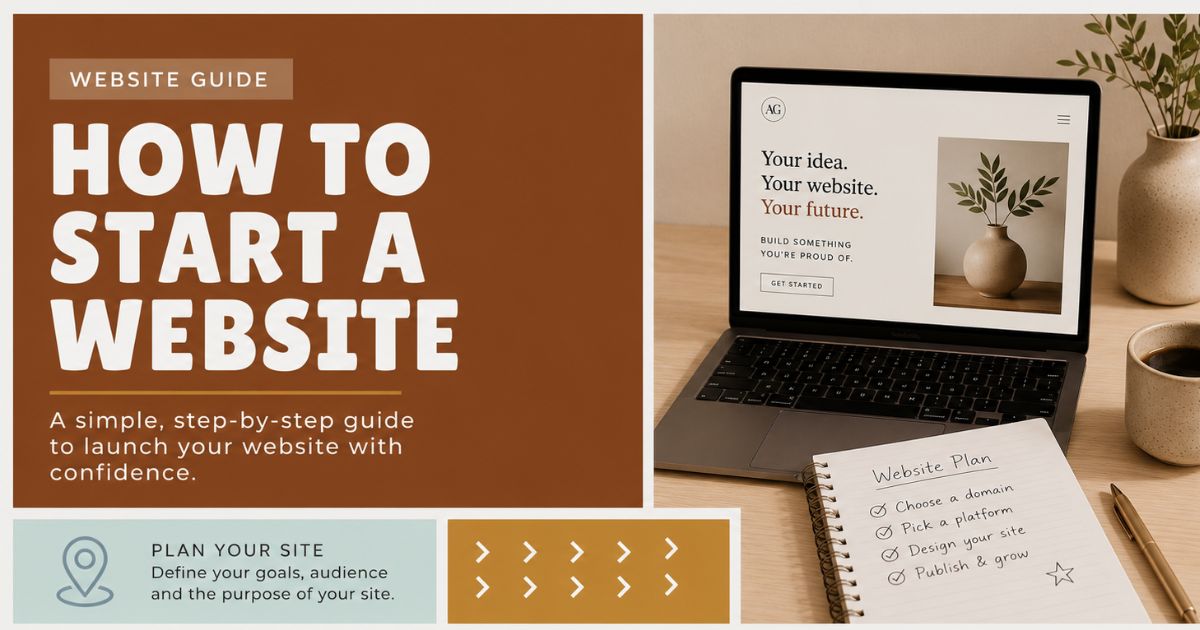
How to start a website
Starting your own website in 2026 can still be an exciting and daunting process. Something which initially seemed like such a simple idea can very quickly become overcomplicated, confusing and cause a blinding headache. You might want to start a website for any number of reasons. To promote your favourite band, to promote your new business, to sell products online, to publish articles or blog posts, to build your personal brand, to showcase your work, or just to tell the world about you, yourself and your dog.
The good news is that starting a website today is easier than it has ever been. The bad news is that there are now more options, more tools, more platforms, more opinions and more “must-have” technologies than ever before. Website builders, WordPress, Shopify, Webflow, AI content tools, SEO plugins, accessibility checkers, analytics dashboards, social media integrations, email marketing, privacy banners, Core Web Vitals — it can all get a bit much.
So, let’s take a breath.
How to start a website the right way? Don’t run before you can walk!
Obviously you could hire a freelance web designer — oh come on, what did you expect?! — but this guide isn’t aimed at those with a budget, a brief and a deadline. This guide is aimed at helping those interested in how to start a website, get it off the ground, understand the basics, and avoid making a complete mess of things before they’ve even begun.
You do not need to become a full-stack developer overnight. You do not need to learn React, Next.js, hosting infrastructure, SEO, conversion optimisation, image compression, DNS, schema markup and email automation before you publish your first page.
You just need to start properly.
Where to begin with your new website
My web design career started back in my college days, when I was studying IT Networking and Comms. A buddy asked me if I would mind helping him set up a website for his band Skirmish. I had an interest in web design, but up until that point, I hadn’t really ever had a meaningful subject.
I had, in the past, set up a free page with a company called Homestead who at the time offered a free online site builder. I crafted a page which featured every animated flashing GIF I could find on the web, and a nice centre spread photograph of me in the middle of the page — terribly pixelated due to my lack of knowledge regarding photo resizing.
One of my first websites was hosted with Geocities, which sounds like something from an internet museum now. Back then, though, it was magic. You could sign up, choose a layout, add some text, upload a few images and suddenly you had a corner of the World Wide Web to call your own.
This was my first proper shot. I signed up for a Geocities account, who again offered an online site builder and some free hosting, and I began putting together a website for my friend’s band. The key here was that I finally had a meaningful subject, something that other people might actually be interested in. Furthermore, I had some motivation. My friend was keen to see the project move forward and would want to see its progress regularly.
Web designers, in my experience, thrive when they’re thrown in at the deep end.
And that still applies in 2026.
The tools have changed, of course. Today you might be using Wix, Squarespace, WordPress, Shopify, Webflow, Framer, Carrd, Notion, Canva, Figma, or one of the many AI-powered website builders that can generate a starting point in a matter of minutes. But the principle is exactly the same. You learn faster when you have a real project, a real audience and a real reason to keep going.
There is also more support out there than ever before. In the old days, the rule was simple: GOOGLE IS YOUR FRIEND. That still applies, but now you’ve also got YouTube tutorials, community forums, documentation, Stack Overflow, Reddit, Discord groups, AI assistants and platform-specific help centres. If you hit a problem, chances are someone else has hit the same problem, solved it, recorded a video about it and written a blog post explaining it step by step.
So don’t be afraid to take on a challenge. The support is out there!
So that gives you your first key steps…
1. Find a meaningful subject that other people might actually be interested in!
There’s nothing worse than putting all that work into a site, and then day after day watching web analytics gather dust. It’s demoralising.
Build a site about something other people will find useful and interesting. Build a site for a friend who needs it. Build one for a local club, charity, hobby, side project, start-up, band, tradesperson, consultant or small business. That way you can collaborate and enjoy the process with another person who is genuinely interested.
And who doesn’t want to help out a friend!?
It’s tempting in 2026 to start with the technology. “Should I use WordPress or Webflow?” “Should I use AI?” “Should I create a headless CMS?” “Should I make it with React?” Stop. That’s running before you can walk.
Start with the subject.
- Who is the website for?
- What problem does it solve?
- What information does it need to provide?
- What do you want people to do when they arrive?
- Why should anyone care?
Answer those questions first and the technology decisions become much easier.
2. Start simple — use a website builder if you need to
As I said before, don’t run before you can walk.
Web technology today allows you to build clean, modern, mobile-friendly websites without needing to touch code. That’s not a bad thing. In fact, for many people, it’s the right thing.
A good site builder allows you to get a better understanding of how a website is structured and how users will interact with it. It makes you think about navigation, page hierarchy, content, calls to action, images, spacing, mobile layouts and the general flow of a website.
It’s best to get this understanding before you start worrying about code.
Here are a few popular website builders and platforms to get you started:
Shopify — especially if you want to sell products online
Some of these are more beginner-friendly than others. Wix and Squarespace are great if you want to get something looking decent without too much fuss. Shopify is excellent if your main aim is ecommerce. Webflow and Framer give you more design control, but they also have a steeper learning curve. WordPress is still incredibly powerful, but you’ll need to get comfortable with themes, plugins, updates and hosting if you go down the self-hosted route.
The important thing is not to get paralysed by choice. Pick one, start building, and learn as you go.
[sws_divider_top] Buying a domain name!
Next up, you’ll probably want to get a domain name.
Domain names are still relatively cheap, though not quite as cheap as they once were, and prices vary depending on the extension you choose. A .co.uk, .com, .design, .studio or .shop domain might all be suitable depending on your project.
I’ve used Namecheap in the past, and there are plenty of other well-known registrars too, including:
Google Domains alternatives via Squarespace
Obviously you need to choose a domain that’s relevant to your subject, the band name, the business name, the product name or the service you’re offering. If the exact name is gone, try appending the field, such as “skirmishmusic.com”, “joessnooker.co.uk” or “anthgraydondesigns.co.uk”.
Try to keep it simple.
A few quick domain tips for 2026:
- Avoid hyphens if you can.Avoid anything hard to spell.
- Avoid very long domains.
- Avoid copying another brand name.
- Try to secure the main social media handles too if they matter to your project.
- Don’t let SEO completely dictate your choice.
Years ago, people used to cram keywords into domain names because they believed it would magically help them rank. It might have helped a little once upon a time, but search engines are far more sophisticated now. Choose the domain that’s best suited to your idea, your audience and your brand.
Once you’ve purchased your domain name, you just need to point it to your website. If you’re using a website builder, they’ll usually give you step-by-step instructions. This often involves changing your DNS records, which sounds scary, but is usually just a case of copying and pasting a couple of values from one place to another.
Eventually, if you move to a proper hosting setup or a custom-coded site, you may need to update your DNS settings again to associate them with your new server. But that’s for later.
One step at a time.
So you’ve started your site, promoted it locally and you’re getting a few visitors each day. Where do you go now?
By this stage you’ve probably gotten to know your site well, and you understand your chosen site builder like the back of your hand. No doubt you’ve been tweaking and changing almost daily!
With this confidence and knowledge, you’ve probably also begun to feel the limitations of the free or entry-level site builder. You’ve been looking at other sites which just look nicer, cleaner, faster, more professional and not quite so “templatey”, for want of a better word.
When you’ve reached this stage, it may be time to start thinking about version 2 of your site.
That doesn’t necessarily mean coding everything yourself from scratch. In 2026, “professional website” can mean a lot of things:
A well-built WordPress website
- A polished Webflow or Framer site
- A Shopify store with a carefully customised theme
- A custom-coded site using a modern framework
- A headless CMS setup
- A static website with blazing fast hosting
- A simple one-page landing page that converts beautifully
- The question is not “what is the cleverest technology I can use?”
- The question is “what does this website actually need to do?”
If it’s a simple brochure site for a local business, it probably doesn’t need a complex development stack. If it’s an ecommerce store, Shopify or WooCommerce might make sense. If it’s a content-heavy site, WordPress is still hard to beat. If it’s a design-led marketing site, Webflow or Framer might be perfect. If it’s a serious application, then yes, you may need a proper developer and a more custom approach.
The trick is choosing the right tool for the job.
Finding a good web host
There are still millions of web hosts out there, and they all range in price and quality of service. In my experience, you’ll be disappointed with quite a few of them.
Unfortunately it’s a common problem. Web hosts can be slow, your site may occasionally go down, support can sometimes be hard to get, and the cheapest option often becomes the most expensive once you’ve lost a few hours of your life trying to fix something.
Every individual’s experience is different. One person may tell you that a host is the best thing since sliced bread, another person may warn you to avoid them at all costs. Every web host has horror stories attached to it, so my preference has always been to pick one with good support, good performance and a clear upgrade path.
In 2026, your hosting choice depends largely on the platform you choose.
If you’re using a website builder like Wix, Squarespace, Shopify, Webflow or Framer, hosting is usually included. That’s one of the big advantages. You don’t need to worry about server settings, PHP versions, caching plugins or security patches. The platform handles most of that for you.
If you’re using self-hosted WordPress, then you’ll need proper hosting. I’d recommend looking at managed WordPress hosting rather than the cheapest shared hosting you can find. It usually costs a bit more, but you’ll often get better speed, better security, automatic backups, staging sites and support teams who actually understand WordPress.
Popular hosting options in 2026 include:
Managed WordPress hosting
Providers such as SiteGround, Kinsta, WP Engine, Cloudways and similar services are popular because they take care of a lot of the technical headaches. You still need to manage your website, but you’re not starting from the basement with a bucket and a torch.
Website and hosting
Webflow, Framer, Shopify, Squarespace and Wix all include hosting as part of the package. This is ideal if you don’t want to deal with the technical side. You pay the monthly fee, connect your domain, publish your site and crack on.
Developer-focused hosting
If you’re building something more advanced, services like Vercel, Netlify and Cloudflare Pages are excellent for modern static and framework-based sites. But these are better suited to people who are already comfortable with development workflows.
For beginners, my advice is simple: don’t buy the cheapest hosting purely because it’s cheap. Fast, reliable hosting with good support is worth paying for.
A slow website costs you visitors. A broken website costs you credibility. Bad support costs you your sanity.
Website building tools
In order to build your website, you’re going to need some tools.
Back in the day, my preference was Adobe Photoshop and Adobe Dreamweaver. Dreamweaver organised your local files, connected to your remote server and gave you a visual way to manage the structure of your website. Photoshop allowed you to create beautiful designs which would make your website jump out.
Those tools still exist, but the web design world has moved on a lot.
Today, the most useful tools depend on what kind of website you’re building.
Planning and structure
Before designing anything, plan your pages. You can do this in Notion, Google Docs, FigJam, Miro, a notebook, a whiteboard, or the back of an envelope if that’s what works.
At minimum, think about:
- Home page
- About page
- Services or product pages
- Blog or resources
- Contact page
- Privacy policy
- Terms and conditions if needed
- FAQs
- Case studies or portfolio items
A website is not just a collection of pretty pages. It’s a journey. You need to guide people from “I’ve just landed here” to “I understand what this is and I know what to do next.”
Design tools
For visual design, Figma has become one of the main tools used by designers. It’s browser-based, collaborative and excellent for designing layouts, components and prototypes.
You might also use:
Figma
Adobe Photoshop
Adobe Illustrator
Canva
Pen and paper
Your chosen website builder’s own design interface
Canva is especially useful for creating social graphics, quick banners and simple brand assets, though I wouldn’t rely on it alone for a full website design system. Figma is much better suited to serious interface design.
Building tools
If you’re not coding, you might build with:
- WordPress: Ideal for blogging especially if you like providing helpful information.
- Wix Good for small business websites.
- Squarespace: Simple yet beautiful designs.
- Webflow: Great for coding and designers
- Framer: Ideal for web developers.
- Shopify: Ideal for selling products online
- Carrd: Good if you’re working on a budget.
If you are coding, you might use:
Visual Studio Code
HTML, CSS and JavaScript
React, Vue or Svelte
Next.js or Astro
GitHub
Vercel, Netlify or Cloudflare Pages
But again, don’t get carried away. If your website is five pages and a contact form, you probably don’t need an advanced JavaScript framework and a headless CMS. Unless you’re learning for the sake of learning, in which case, brilliant — just know what you’re getting yourself into.
Using AI without letting AI take over
AI can now help you draft page copy, generate ideas, create basic layouts, write code, suggest SEO titles, summarise competitors, generate image ideas and even build rough websites. Used well, it can save huge amounts of time.
Used badly, it can make your website sound like every other website on the internet.
You’ve seen the sort of thing:
“In today’s fast-paced digital landscape, we empower businesses with innovative solutions…”
No thank you.
Use AI as an assistant, not as your personality. Let it help you brainstorm, structure, edit and polish. But make sure the final website sounds like you, your business or your brand. Add real experience, real opinions, real examples and real details. That’s the bit AI can’t fake convincingly.
Content is still king — but useful content is the emperor
Years ago, the advice was simple: write good content and make sure you use appropriate header tags. That’s still true, but the standard has risen dramatically.
Search engines are smarter. Users are more impatient. Competition is tougher. And now your content may also appear in AI search results, summaries and answer engines, not just traditional Google listings.
So, your content needs to be genuinely useful.
- Before writing a page, ask:
- What is the visitor trying to achieve?
- What question are they asking?
- What objections might they have?
- What information do they need before they can trust you?
- What action should they take next?
Don’t copy and rewrite content from other websites. Write your own. Don’t be afraid to add a dash of personality into it, or the personality of your brand, product or business.
A good website in 2026 should usually include:
- Clear headings
- Helpful page titles
- Concise paragraphs
- Strong calls to action
- Real examples
- Trust signals
- Reviews or testimonials if available
- Frequently asked questions
- Contact details
- Fast-loading images
- Accessible text and colour contrast
- Mobile-friendly layouts
And if you’re a business, please, for the love of all things web, make it obvious what you do, who you do it for and how people can contact you.
You would be amazed how many websites still fail that very basic test.
Make sure your website works beautifully on mobile
This is no longer optional.
In the early days, we tested websites on desktop browsers and then maybe checked that nothing too terrible happened on a smaller screen. Today, mobile is often the primary experience. Many people will never see your desktop site at all.
So when you’re building your website, don’t just make it “responsive” and hope for the best. Actually test it.
Check:
- Does the menu work properly?
- Is the text readable?
- Are buttons easy to tap?
- Do forms work?
- Are images cropped sensibly?
- Does the page load quickly?
- Can someone contact you easily?
- Does anything overlap, vanish or break?
A website that looks beautiful on a giant monitor but falls apart on a phone is not a finished website.
It’s a desktop poster pretending to be a website.
Test your website, then test it again, and then TEST IT AGAIN!
There’s no excuse for not fully testing a website.
Badly designed, poorly built websites will prevent users from visiting and interacting with your site. If you want to give your website the best possible chance at generating visitors, enquiries or sales, you must make sure it’s compatible with modern browsers and mobile devices.
In 2026, you’ll want to test in:
- Google Chrome
- Apple Safari
- Microsoft Edge
- Mozilla Firefox
- iPhone
- Android
- Tablet if relevant
- Different screen sizes
Slow mobile connections if possible
Also test the boring things. Especially the boring things.
- Contact forms
- Newsletter forms
- Checkout process
- Search functionality
- Navigation links
- Social links
- Download buttons
- Cookie banner
- Privacy policy links
- 404 page
- Thank you pages
- Email notifications
If you run a business website, send yourself a test enquiry. Fill in the form like a customer. Check where the email goes. Check whether it lands in spam. Check whether the phone number works. Check whether the map link opens properly.
You can also use tools such as:
- Google PageSpeed Insights
- Google Search Console
- W3C Validator
- Accessibility checkers
- Browser developer tools
- Built-in platform testing tools
Try validating your website code if you’re coding it yourself, and aim to keep things clean. You don’t need to obsess over every single technical detail when you’re starting out, but you should care about quality.
Sloppy websites feel sloppy.
Don’t forget accessibility. Accessibility used to be treated as an optional extra by far too many people. It isn’t.
Your website should be usable by as many people as possible. That means thinking about people using screen readers, keyboards, mobile devices, zoomed-in browsers, older devices, slower connections, and different levels of vision, movement or cognitive load.
Basic accessibility improvements include:
- Use proper headings in the right order.
- Make sure text has enough colour contrast.
- Add alt text to meaningful images.
- Don’t use tiny text.
- Make links descriptive.
- Make buttons obvious.
- Ensure forms have labels.
- Don’t rely on colour alone to communicate meaning.
- Make sure the site can be navigated with a keyboard.
- Avoid flashing, overwhelming or distracting effects.
Accessibility is not just a technical checklist. It’s good design. It makes your website easier for everyone to use.
And frankly, that should be the goal.
Get your website noticed online!
So you’ve tested your site, you’ve given it an awesome design treatment and you’ve published it online. Next up, you need to generate some traffic.
Off the bat, you should have already made sure your web content is unique, relevant and well written. Don’t copy and rewrite content from other websites. Write your own and don’t be afraid to add personality.
Make sure your site is structured properly. Use appropriate heading tags. Give each page a clear title and meta description. Make sure your images are compressed and named sensibly. Create useful content around the topics your audience actually cares about.
Then make sure Google can find you.
Set up:
Analytics such as Google Analytics, Plausible, Fathom or another privacy-friendly option
A sitemap
Basic business listings if relevant
Google Business Profile if you’re a local business
In the old days, you’d submit your site to Google and Bing and wait. These days, search engines will usually find you eventually, but setting up Search Console and submitting your sitemap is still a smart move.
If you’re a local business, local SEO matters. Make sure your name, address, phone number, opening hours and service areas are consistent across your website and online listings. Ask happy customers for genuine reviews. Add location-specific pages if they are genuinely useful — not spammy doorway pages, but proper helpful content.
Then start building relationships.
Interact with other websites in your industry. Read other blogs and leave meaningful comments where appropriate. Share useful posts on LinkedIn, Facebook, Instagram, TikTok, YouTube or wherever your audience actually spends time. Join communities. Answer questions. Create helpful resources. Build an email list if you can.
Traffic rarely appears by magic. It comes from being useful, being visible and being consistent.
It’s about building relationships and meaningful connections.
Some things never change.
Think beyond Google
Search engine optimisation is still important, but the web has changed. People now discover websites through all sorts of routes:
- Bing
- AI search tools
- Social media
- YouTube
- TikTok
- Email newsletters
- Podcasts
- Online communities
- Local directories
- Word of mouth
- Referrals
So don’t build your entire marketing strategy around one traffic source.
A strong website should act as your home base. Social media platforms come and go. Algorithms change. Accounts get restricted. Trends disappear. Your website is the place you control.
Use other platforms to bring people back to your website, where they can learn more, contact you, buy from you, sign up, book a call or read your content properly.
Security, privacy and all the boring-but-important stuff
I know, I know. This is the bit nobody gets excited about.
But it matters.
Make sure your website has an SSL certificate, so it loads over HTTPS. Most decent platforms and hosts include this now, so there’s really no excuse.
If you’re using WordPress, keep your themes, plugins and core installation updated. Use strong passwords. Don’t install 47 random plugins because a YouTube video told you to. Use backups. Use security tools where appropriate.
You should also think about privacy. If you’re collecting personal data through contact forms, newsletter signups, analytics, ecommerce checkout or booking tools, you need to handle that properly.
At minimum, most websites should have:
- A privacy policy
- A cookie notice if cookies or tracking tools are used
- Secure forms
- Clear consent for marketing emails
- Proper data handling
If you’re running a business, don’t ignore this. Get proper advice if you need it.
It’s not glamorous, but neither is explaining to a customer why their enquiry vanished, your site was hacked or your contact form has been collecting data without a clue where it’s going.
Obviously this list isn’t exhaustive, and there are hours and hours more stuff to cover. Web design is still an amazing and rewarding industry, from the amateur level to the professional level.
The tools have changed massively since the days of Geocities, Homestead, flashing GIFs and pixelated centre-spread photos. But the heart of it is exactly the same.
Pick a subject you care about. Build something useful. Learn as you go. Test everything. Keep improving it. Don’t get distracted by every shiny new tool. Don’t let technology bully you into overcomplicating what should be simple.
There’s something wonderful about getting your first website online and watching it grow. Whether it’s a band website, a small business site, a personal blog, a portfolio, an online shop or a page dedicated entirely to your dog, it’s still your little corner of the web.
My advice is to pick a subject you’re passionate about, something you’ll enjoy spending time on and giving lots of TLC.
Of course, if you ever need help, you can always get in touch with a professional web designer who can give you advice and support, or jump in and resolve a problem you might be having.
I would also like to open the comments below up for discussion or advice. If you have a question or need some advice, please leave me a comment below and I’ll do my best to help you resolve your problem or provide you with some expert advice.